Data Migration AI Assistant
Designing an AI Wrapper for Business Solutions
DataWayfinder is an AI application that leverages AI Language Learning Models (such as ChatGPT or Claude) to assist professionals with complicated data migration/transformation processes. The tool is used to automate data mapping tasks and helps users with consolidating, cleaning, enriching, validating, and standardizing data as well as migrating data for businesses.
My Role
Product Designer/ UX Researcher
Services
UI & UX Design UX Research
Focus
Web
Date
July 2025 - Current
The Challenge
Solutions
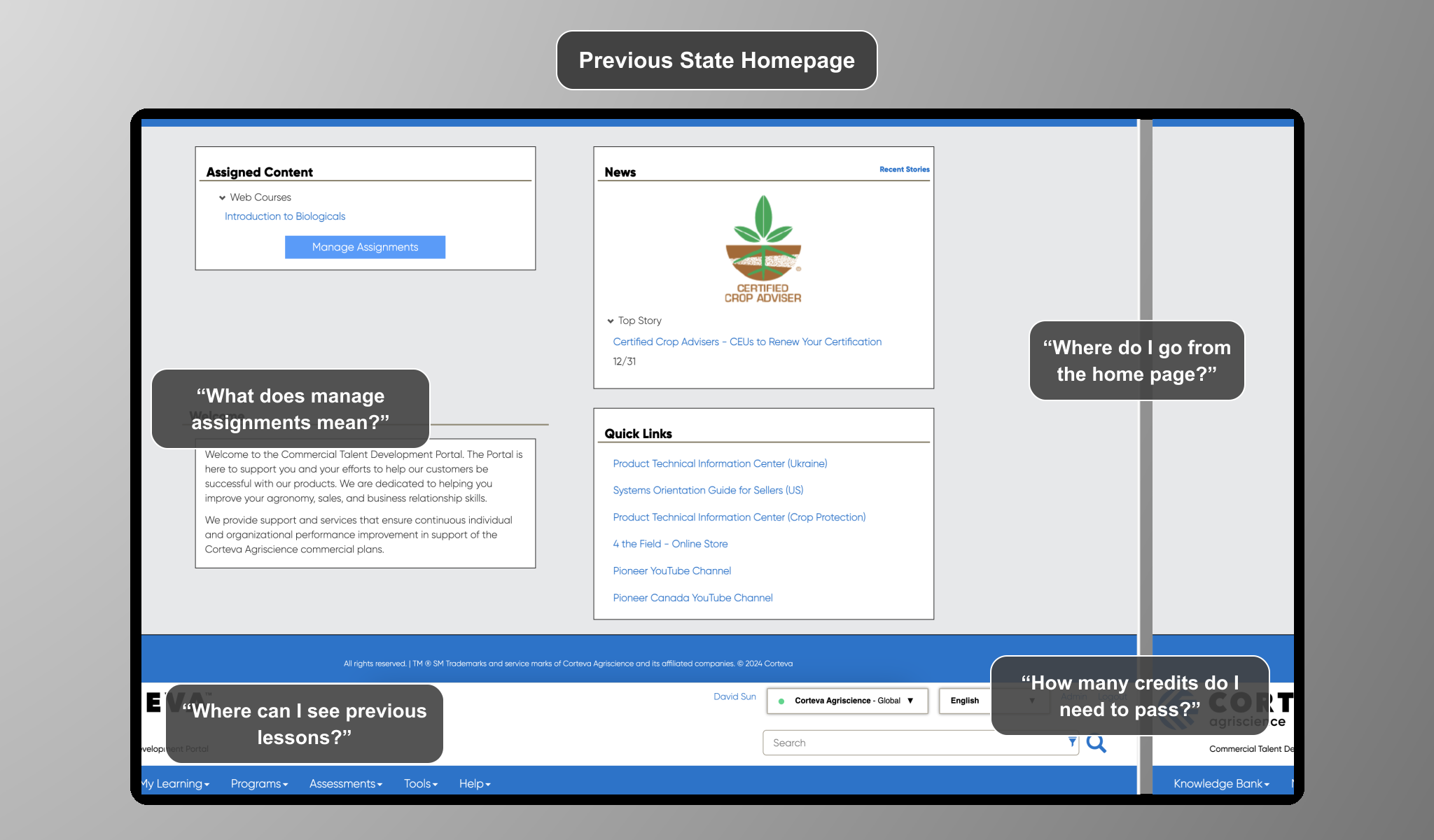
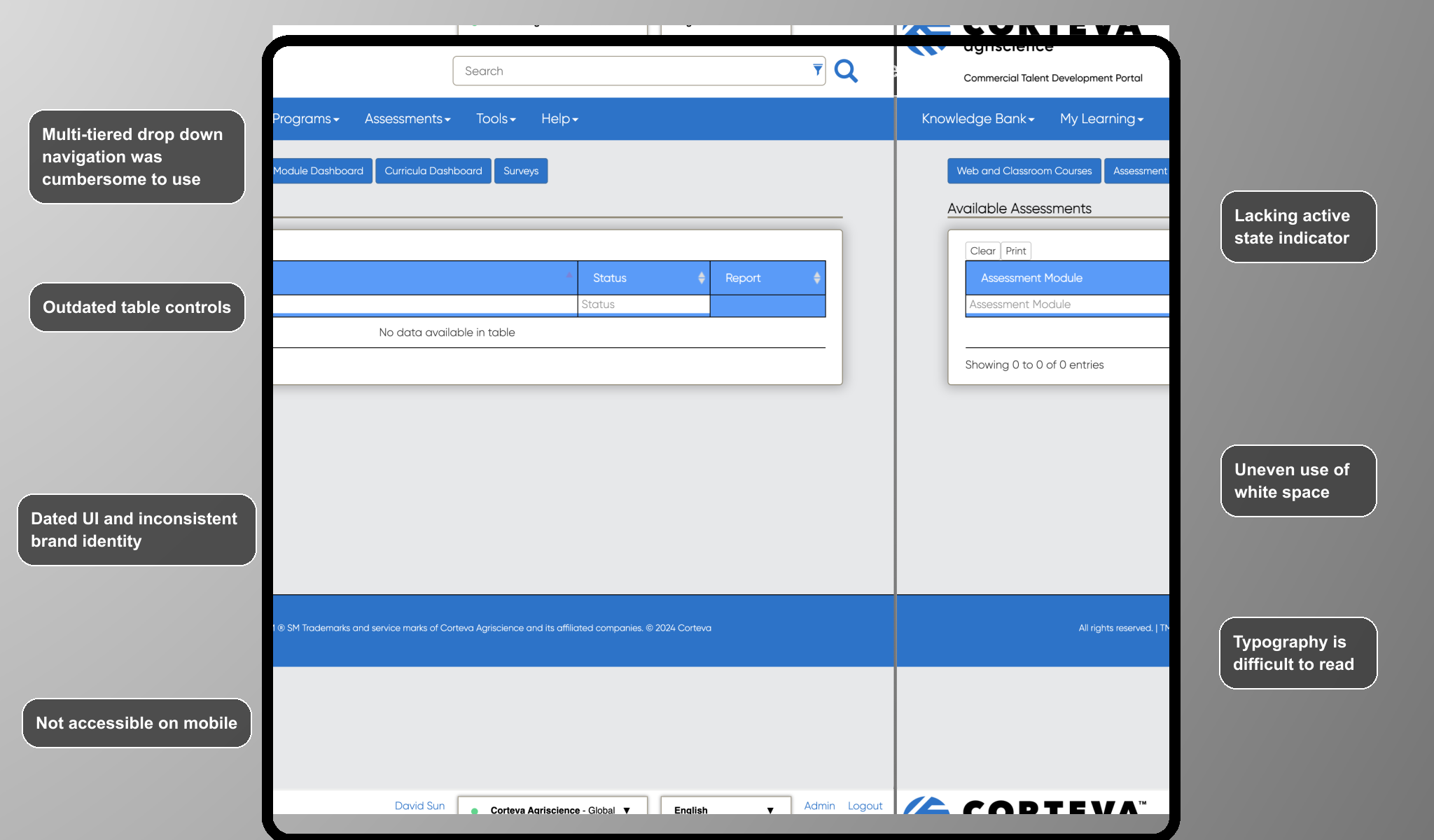
Data migration is often complex, slow, and heavily dependent on a small group of technical experts. Business users and analysts without SQL experience struggle to participate in or understand the process, creating bottlenecks and increasing costs. Existing tools require significant manual setup, provide limited error visibility, and don’t adapt to different user skill levels which makes data migration both time-intensive and inaccessible.
Design an AI-powered data migration tool that simplifies and automates complex transformation workflows. The tool enables users of all technical levels to clean, migrate, and review data with guided AI assistance while maintaining security and accuracy. It automates SQL generation, flags potential errors, and provides clear visual feedback, allowing data experts to focus on validation and optimization rather than manual scripting. This approach democratizes data transformation and significantly reduces the time and effort required for data migration.
Data migration is often complex, slow, and heavily dependent on a small group of technical experts. Business users and analysts without SQL experience struggle to participate in or understand the process, creating bottlenecks and increasing costs. Existing tools require significant manual setup, provide limited error visibility, and don’t adapt to different user skill levels which makes data migration both time-intensive and inaccessible.
My Role:
As the sole UX Designer and Researcher for this 3-month project, I began by working with the business owner to rapidly increase my understanding of the business goals and existing pain points of data migration. Existing software exists, but AI can empower users with limited or technical know-how and democratize the data migration process.
Main Objectives:
Take designs from concept sketches to a functional low fidelity wireframe
Design the IA, sitemap, and navigation for the tool
Redesign the most common user flows to reduce friction with users
Getting Started
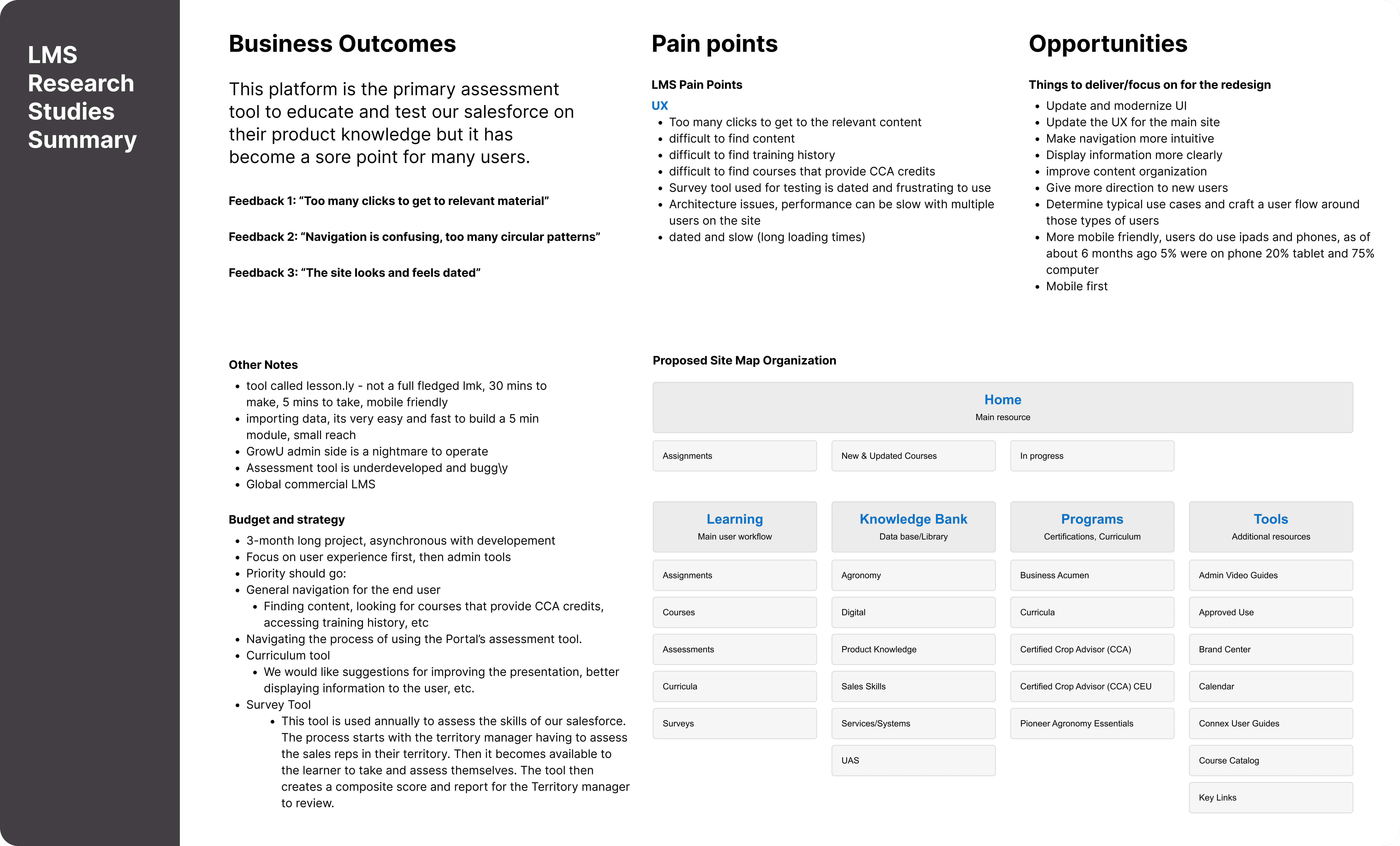
As the founding designer on the project, my primary role was to take the complexity of delivering an MVP of the product into digestible steps. I began by mapping out existing pains, business goals and opportunities for the project and used those insights to produced a set of deliverables that would shape and guide the design process.
Setting the Stage
Doing t
Create User Personas
Designing
Requirements and User Stories
Creating requirements and user stories for the product helped me decide how to best design the sitemap, and determine how users would use the tool, as well as which features were necessary for an MVP.
Sitemap and User Flow
With the User Stories and Requirements decided, I was able to begin designing
Wireframes
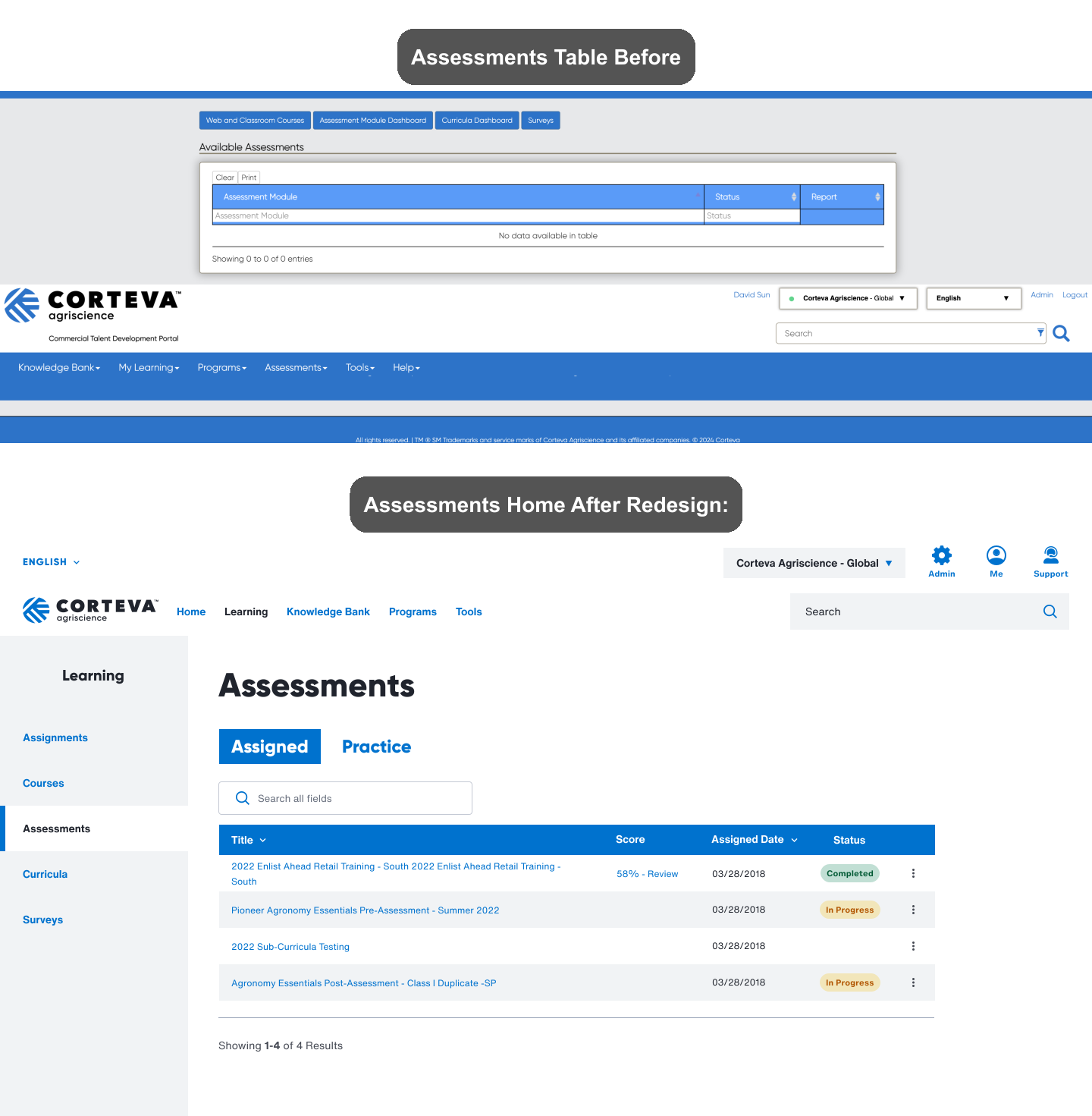
Given the time constraints, I prioritized working on making changes that would deliver the most value with less time investment. Some of these changes came in the form of:
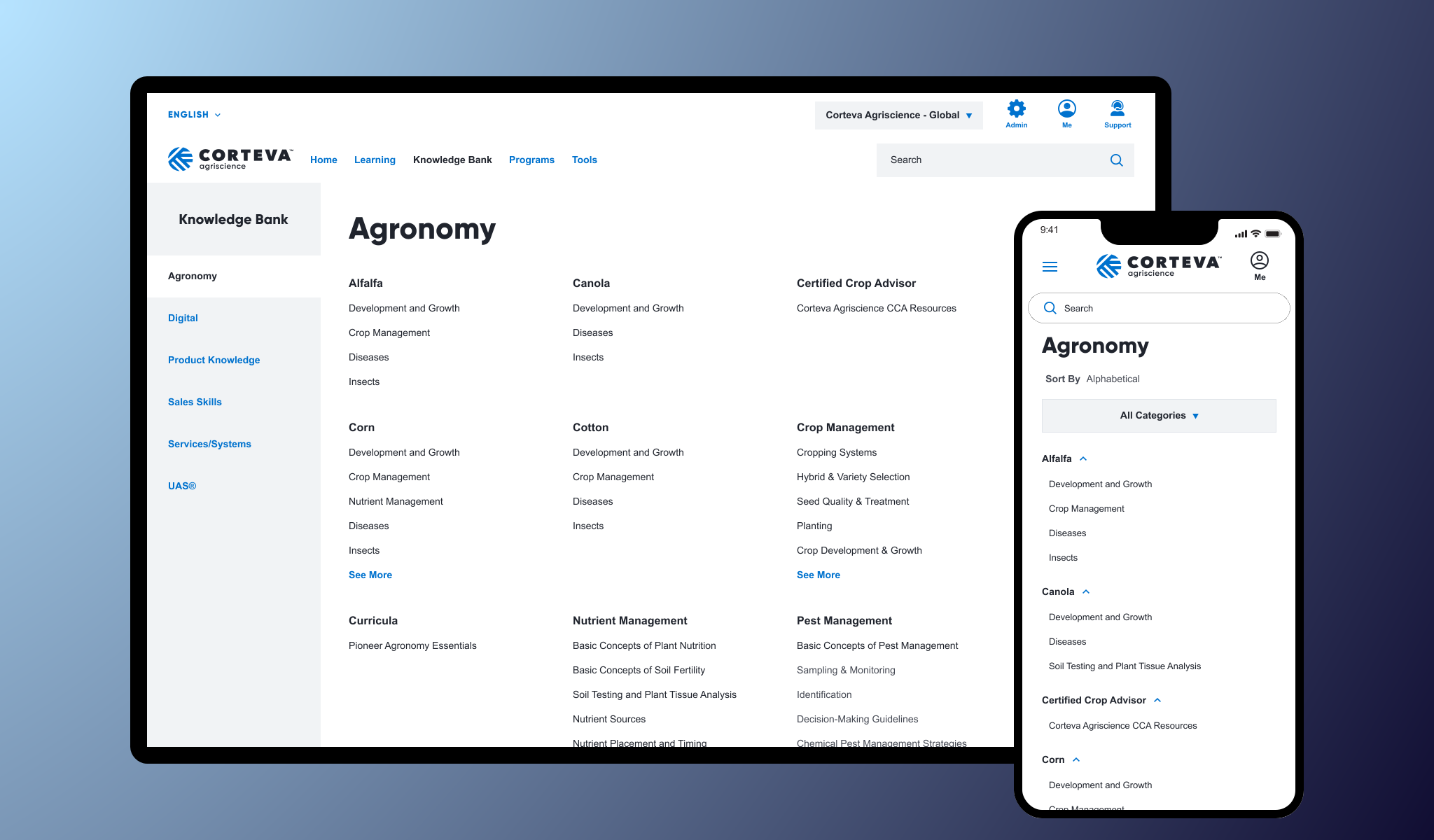
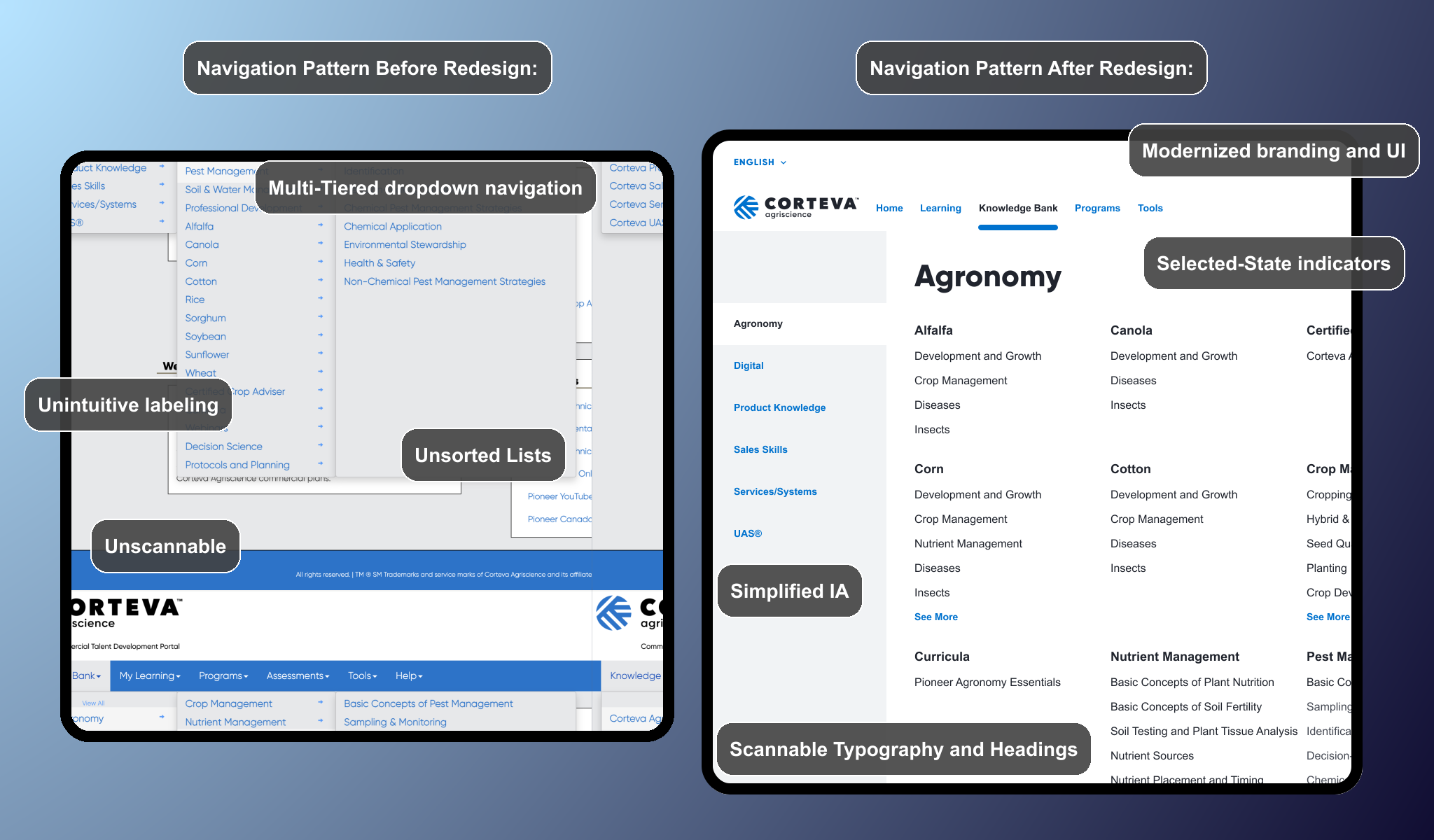
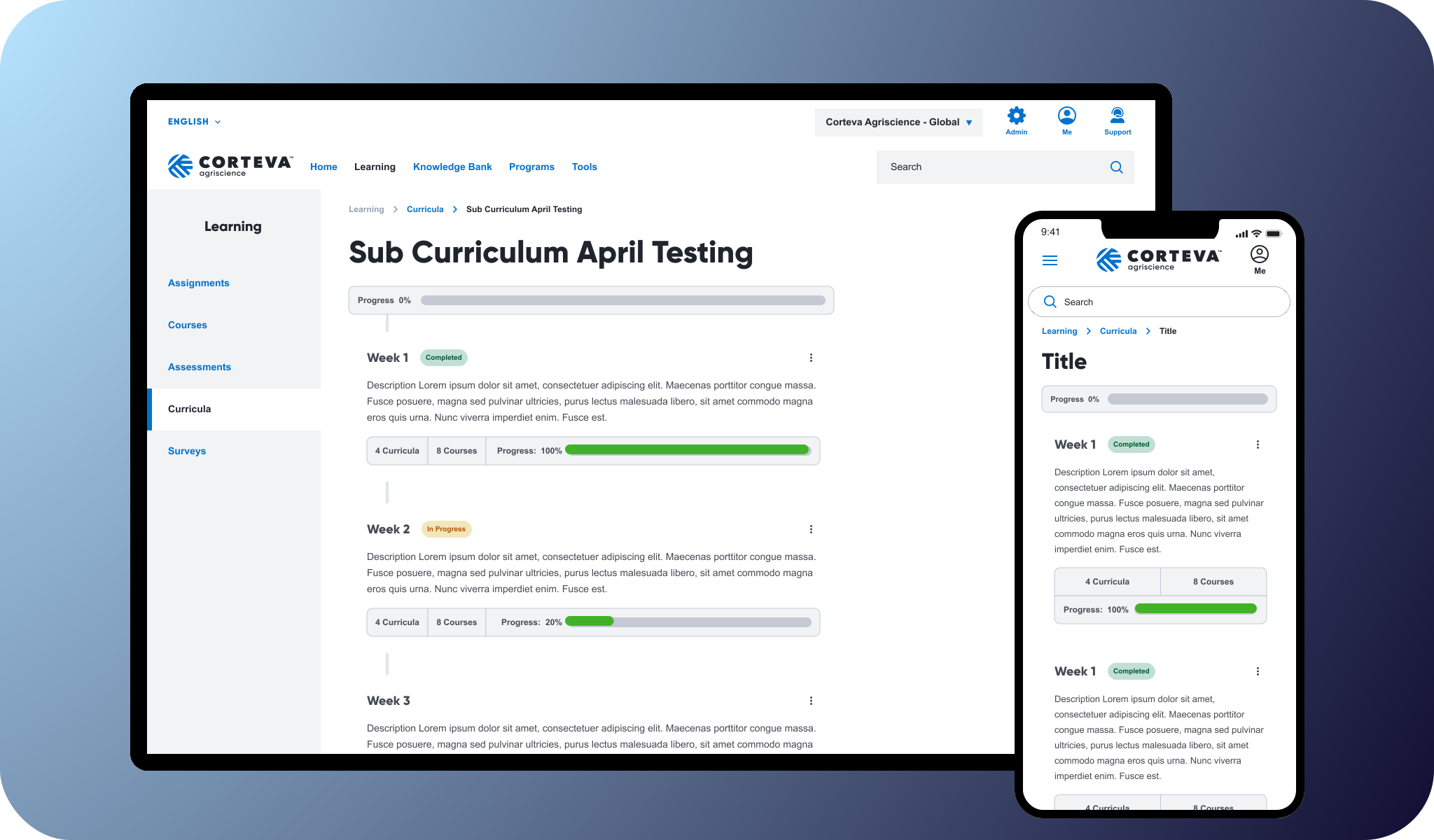
Navigation Changes: A revamped left aligned menu replaces the previous multi-tiered drop down, with high-level pathways for various content types, such as assessments, lessons, and certification tests.
Updated Nomenclature and Copy: Clarifying naming conventions and descriptions lead to better usability and comprehension for users. Larger, clearer headings and sub headings also gave users a better sense of place and direction.
Streamlined Workflows: Improved task flows for core use cases, such completing assignments after lessons and tracking grades, minimizing unnecessary steps.
Testing and Validation
User Testing:
I tested the prototype with a group of representative users, including administrators and learners. Key findings included:
Users completed tasks significantly faster compared to the original design.
Navigation felt intuitive, with users consistently locating key features with ease.
Administrators appreciated the simplified workflows and clearer structure which made.
Iterative Refinements:
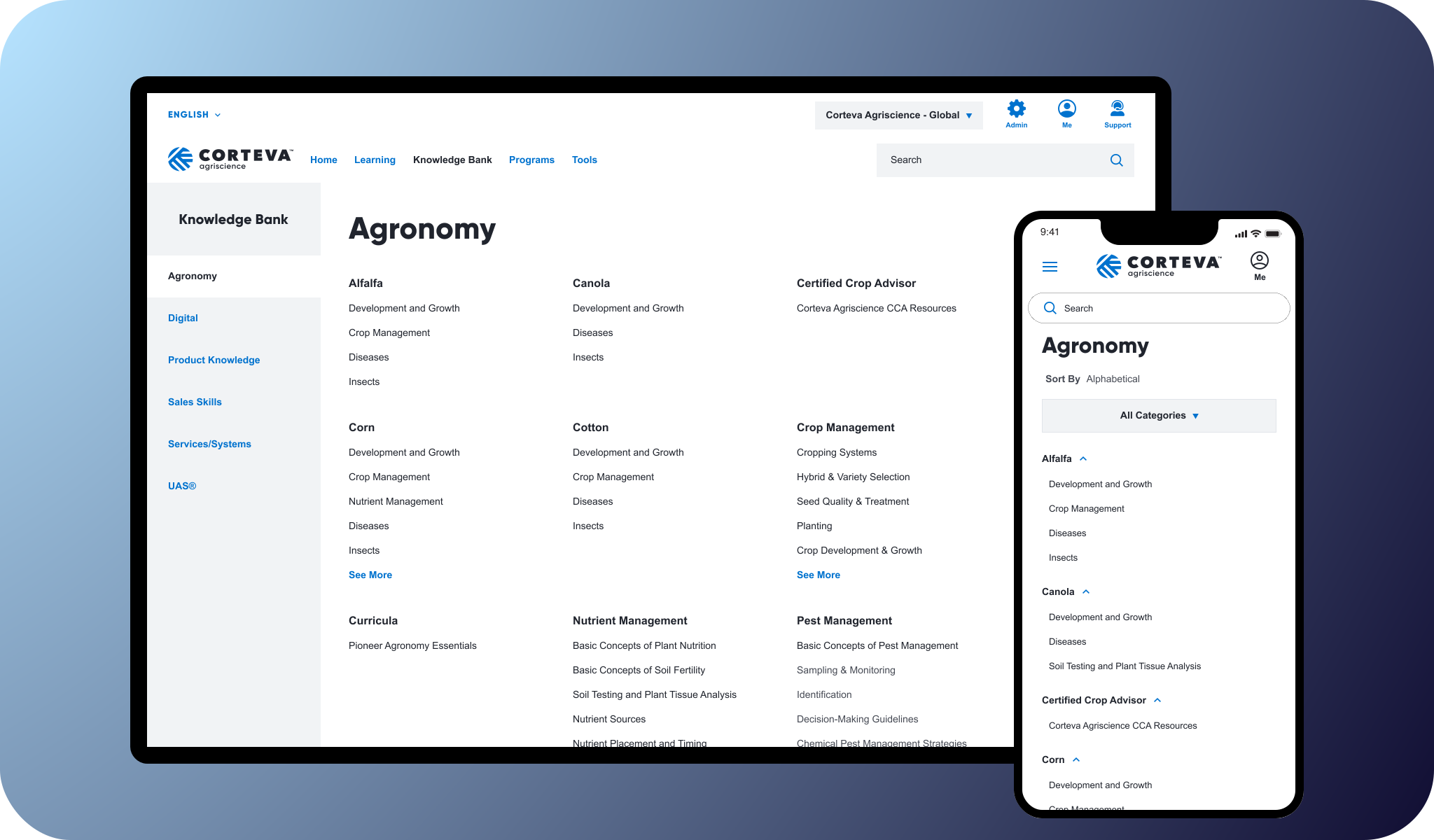
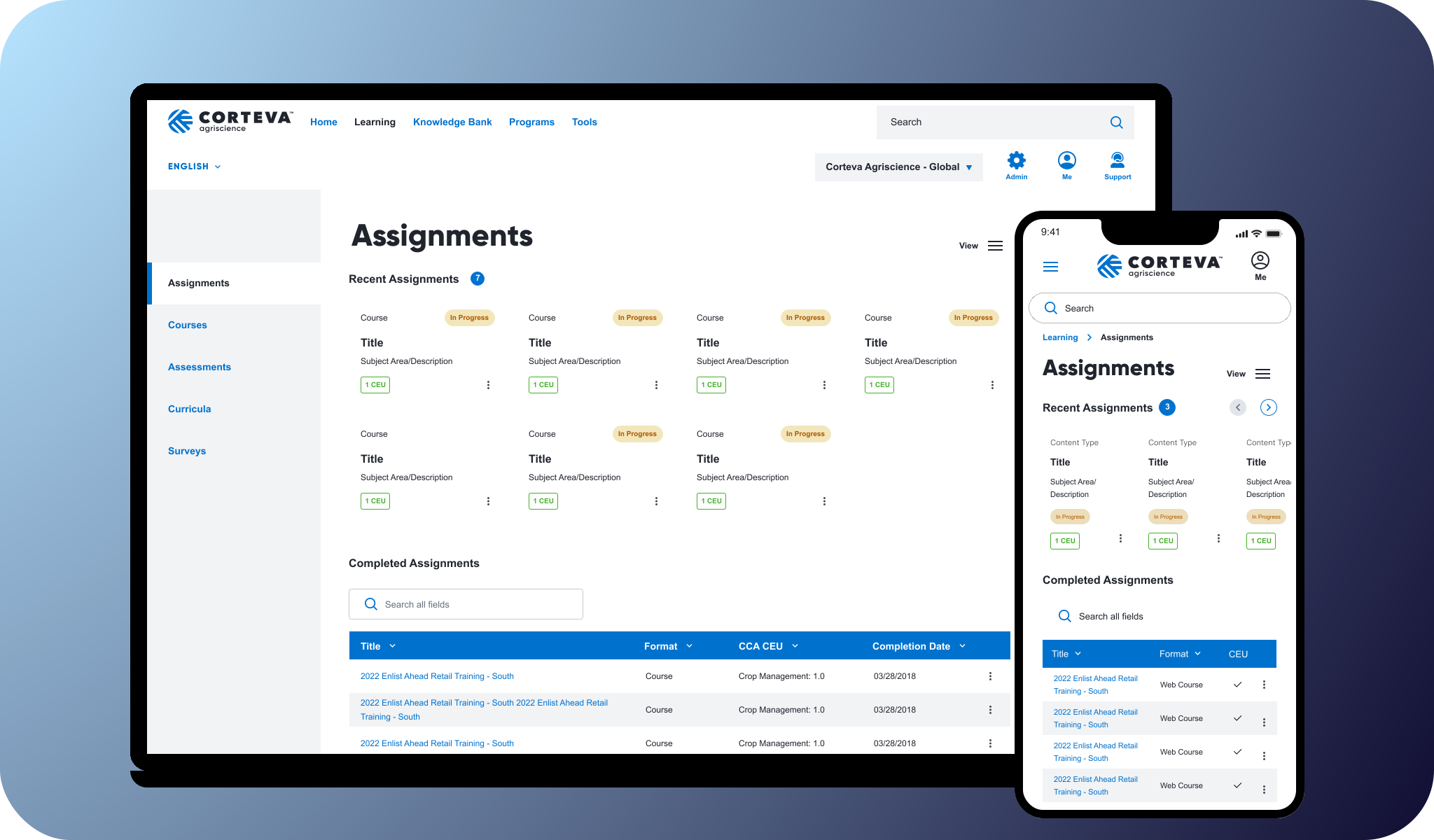
Based on feedback, I made adjustments to the designs by enhancing the visibility of course titles and thumbnail images, and creating modular responsive designs for the course cards.
The Impact
By redesigning the learning management system I addressed critical user pain points around navigation and accessibility, resulting in a solution that was intuitive, user-centered, and scalable. Through a research-driven approach I was able to increase the rate of task completion for learners, and demonstrate the value UX Design to the system administrators.